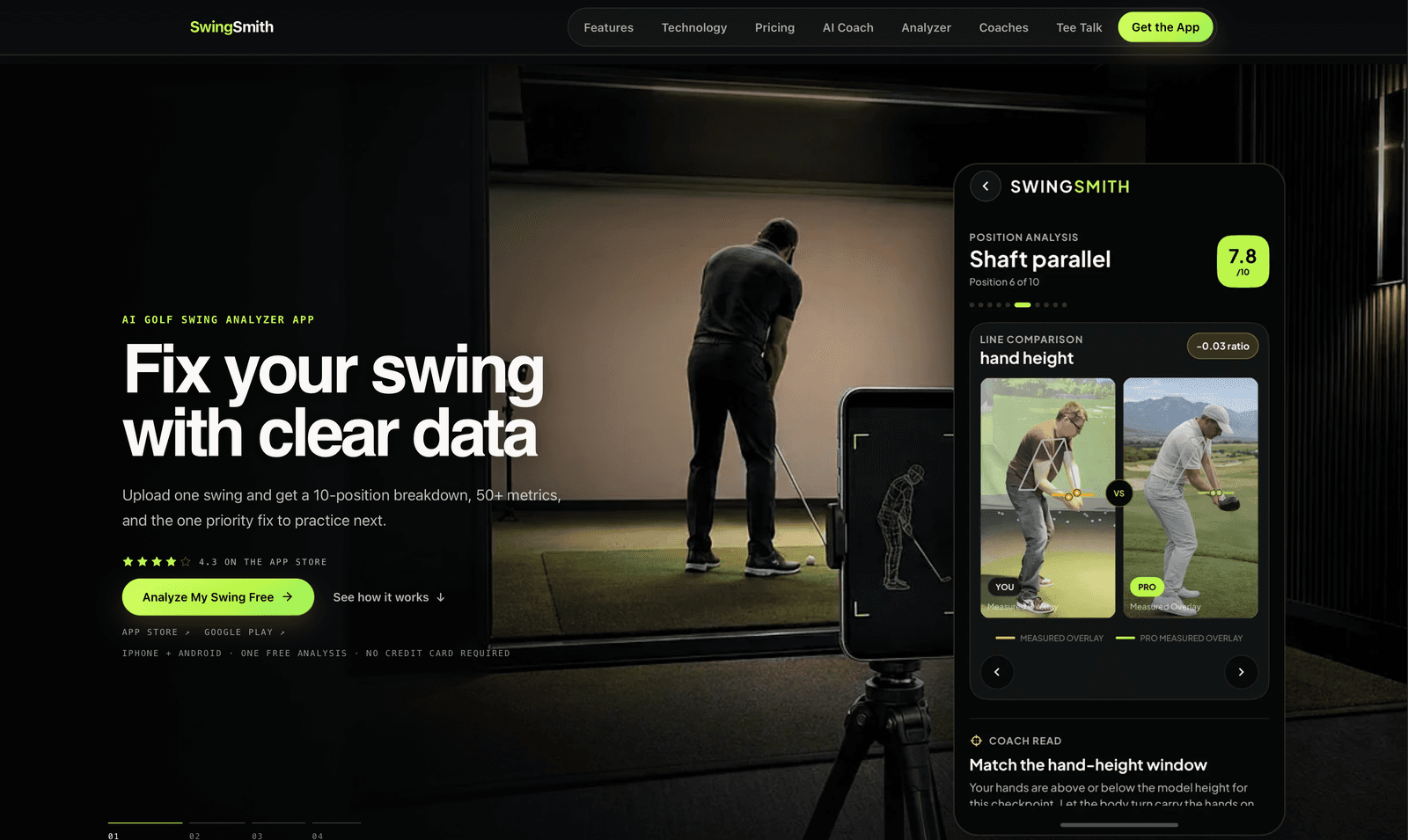
Generic advice can sound smart and still leave a player guessing which of a hundred possible faults is actually theirs — and a phone video on its own tells them nothing they can act on.
Real coaching doesn't scale. An experienced coach names the fault in seconds, but that expertise is expensive, limited by geography, and impossible to bring to every practice session.
It is easy to return fifty numbers. The value is in returning one instruction a golfer can take to the range.
The harder product problem was restraint
01 Capture
The phone already in their pocket.
The golfer records a face-on or down-the-line swing on an ordinary phone and uploads it in a few taps.
No launch monitor, no studio, no specialist hardware — the constraint that has kept swing analysis locked inside coaching facilities. Everything that follows has to work from that one video.
REC
Face-on
REC
Down-the-line
One swingUploaded in a few taps
Launch monitor
Studio
Specialist hardware
02 Diagnose
Ten positions. Fifty-plus measurements. One score.
The engine breaks the motion into ten checkpoint positions, reads 50+ metrics across path, tempo, head stability, spine inclination, shoulder tilt, hip turn and transition, and scores the swing. Drag through it.
ShouldersHipsSpineHead box
Position analysisShaft ParallelPosition 6 of 10
7.8/10
Shoulder turn32°
Shoulder tilt-13°
Hip turn-14°
Spine inclination1.9°
Head stabilityof height, from address1.0%
TransitionPathTempo
Try itScrub the bar or pick a frame. Measurements come from this page's illustrative swing model and the frame scores are sample values — not the product's engine.
P1Address
P2Club parallel
P3Arm parallel
P4Top of backswing
P5Arm parallel down
P6Shaft parallel
P7Impact
P8Release
P9Follow-through
P10Finish
Seeing it
Drawn on their own swing, next to a pro's.
Numbers alone don't change a movement. The analysis is drawn back onto the golfer's video, and set beside pro checkpoints at matching positions — so the gap is something they can see.
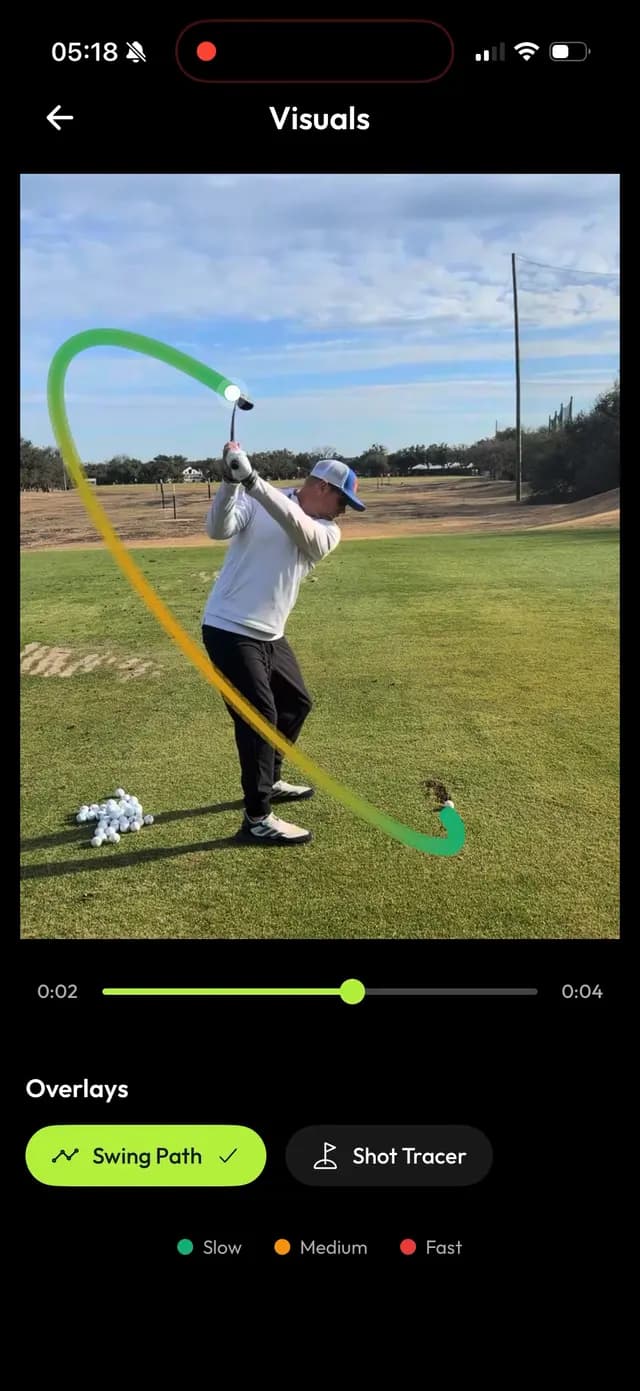
Swing path, traced on the video and coloured by club speed.
P10 checkpoints marked along the arc.
Tempo, backswing against downswing.
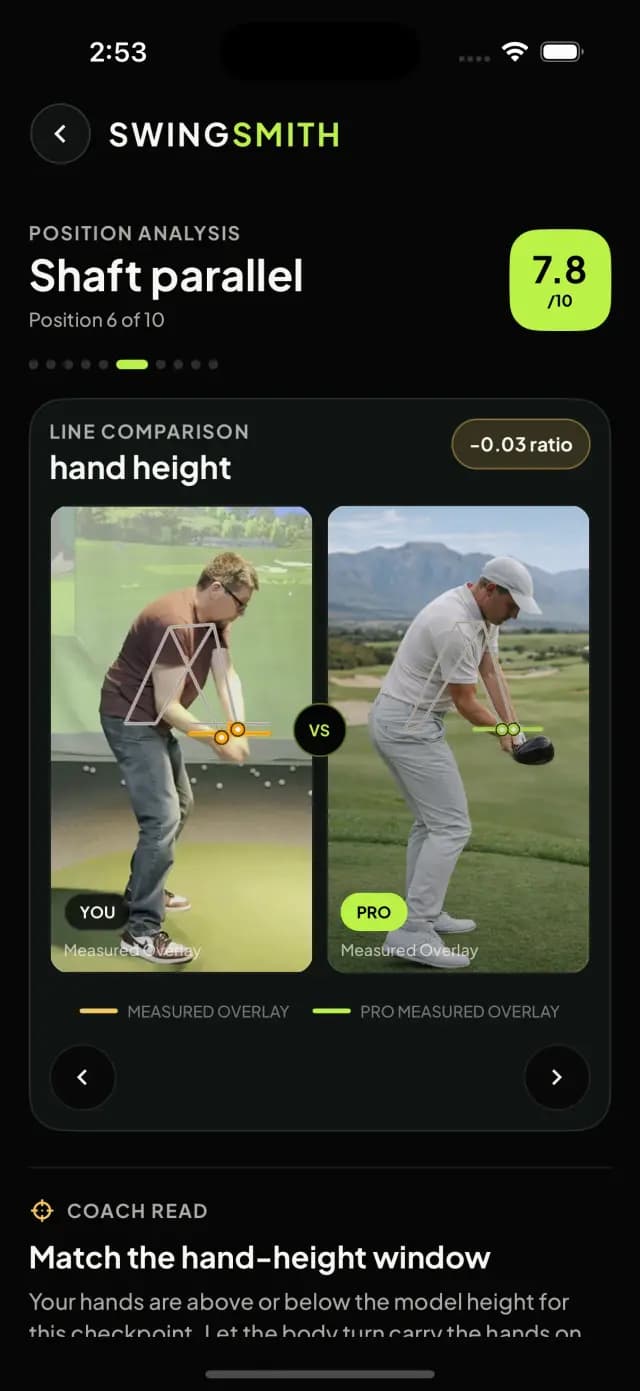
Side-by-side pro comparison, measured line against measured line, position by position.
Line comparison · P6Shaft Parallel
+0.05 ratio
YouMeasured overlayVSProMeasured overlay
At P6
You
Pro
Hand height
0.59
0.54
Shoulder turn
32°
32°
Hip turn
-4°
-14°
Head position
0.01
-0.01
Try it Step through positions and switch overlays. Both golfers are drawn from the illustrative model.
03 Prioritise
Fifty numbers in. One instruction out.
Rather than reporting everything, the system names the one change most likely to improve the next range session.
And it explains the causal chain — what the fault is, what it forces the body to do — so the golfer understands why it matters rather than just being told to fix it.
50+ readings
Path8444419049894698
Tempo746258724742
Head stability676094428941
Spine inclination56967746528987
Shoulder tilt8972945651456344
Hip turn8574819881568575
Transition707447669649439272
Every reading here is accurate. Taken together they still leave a golfer guessing which of them is actually theirs to fix — and which to ignore.
Try itSwitch between the two. Readings are sample values; the fault and its practice focus are the ones the product's swing sequence uses.
04Practise & improve
A coach that remembers every swing.
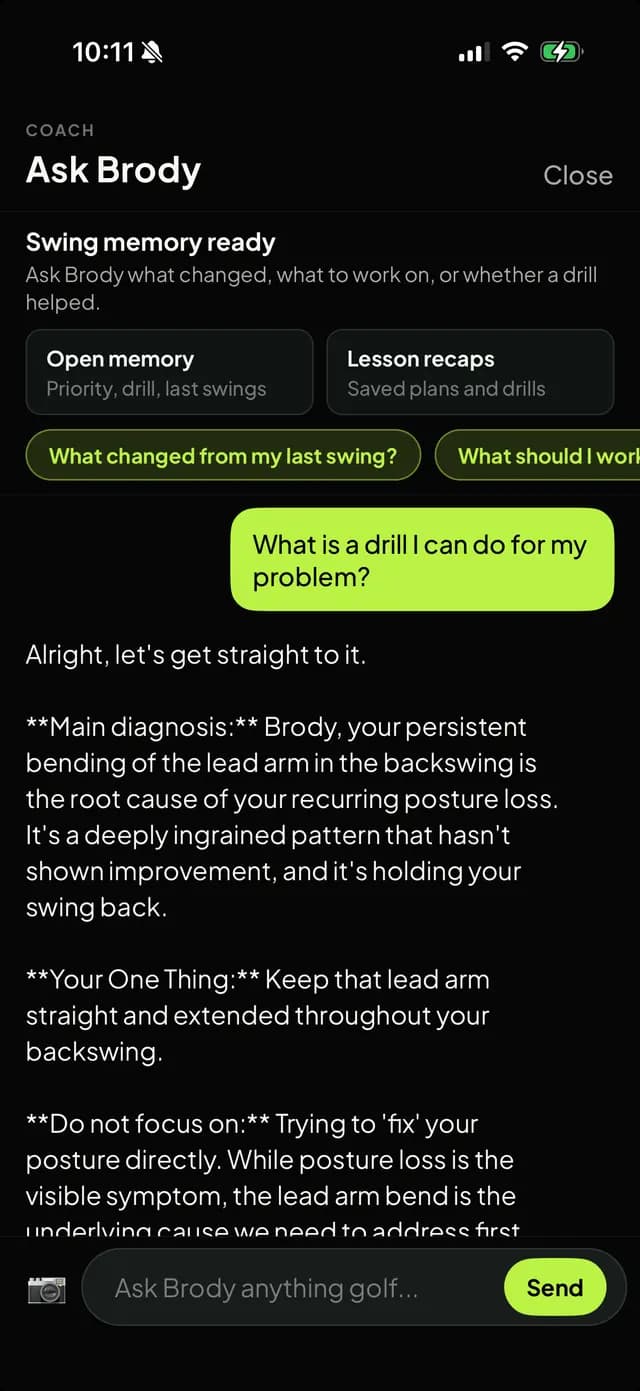
Each priority fix maps to a specific drill. Ask Brody, the in-app AI coach, answers follow-up questions grounded in the golfer's current analysis and their previous uploads — so the answers are about their swing, not golf in general.
Progress is tracked by comparing matched checkpoints across uploads, so a golfer can see whether a fault is genuinely improving.
CoachAsk Brody
Swing memory readyAsk Brody what changed, what to work on, or whether a drill helped.
Open memoryPriority, drill, last swings
Lesson recapsSaved plans and drills
What is a drill I can do for my problem?
Alright, let's get straight to it.
Main diagnosis: a steep, over-the-top path. The club comes from outside the target line, and you're extending early just to make contact.
Your one thing: from the top, feel the club drop into the slot behind you, like pulling a bell rope, then let it approach from the inside.
Do not focus on: the early extension itself. It's the symptom; the path is the cause.
Ask Brody anything golf…Send
What Brody is reading
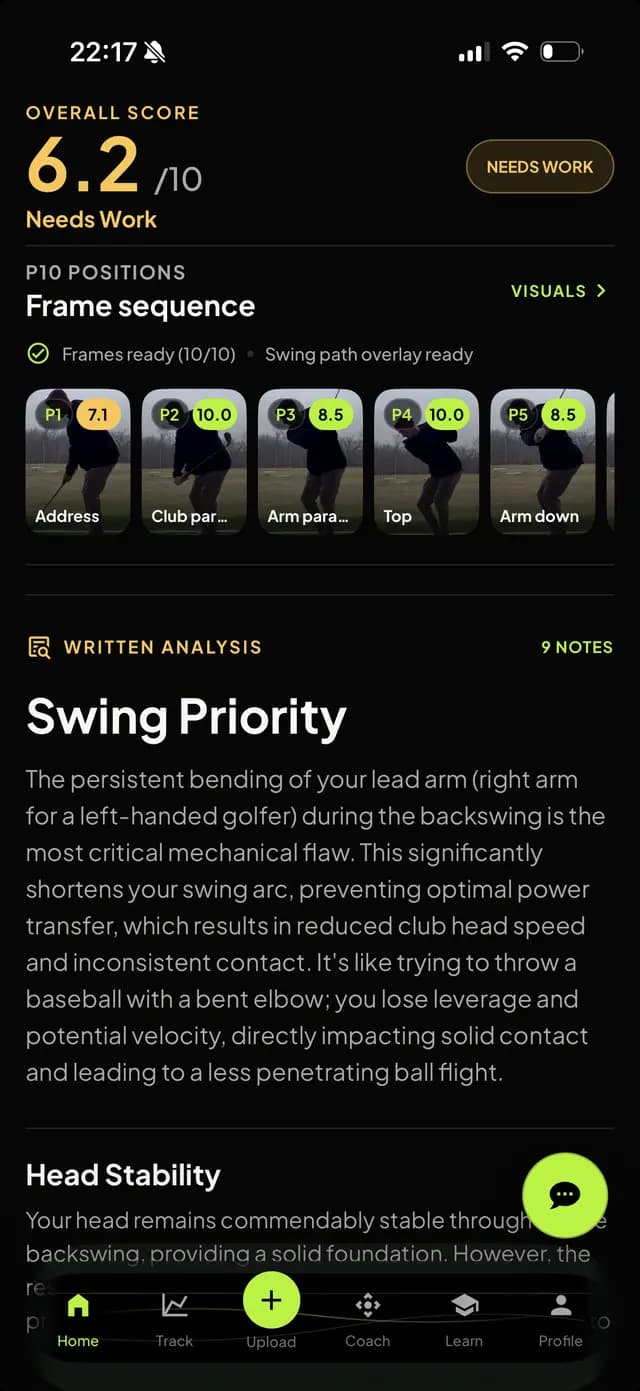
Current analysis6.2 /10
Priority fix: steep / over-the-top path
Assigned drill
Bell rope: drop the club into the slot, approach from the inside
Swing history · P6 matched
6.9Upload 1
7.3Upload 2
7.8This upload
Sample conversation and history.
Try it Ask a question and watch which part of the swing memory the answer uses.
The shipped app
The real screens.
Everything above is a recreation. These are captures from the app on iOS.
Swing score, P10 frame sequence and the single named priority fix
Side-by-side pro comparison at matching checkpoints
Swing path overlay traced on the golfer’s own video
Ask Brody answering with swing history in context
How it's built
From a phone video to a structured analysis.
Swings upload from the native apps to cloud storage, queue for inference, pass through pose estimation and the P10 checkpoint classifier, and return a structured analysis that drives the overlays, the priority fix, and the context Ask Brody reasons over.
On the phone
Cloud
Inference
Coaching
08 / 08Swing history
Every analysis is kept, so matched checkpoints can be compared across uploads to show whether a fault is really improving.
What we built with
Native apps, a vision pipeline, and a language model that knows the swing.
Native iOS and Android apps with a free starter analysis and tiered subscription plans, backed by the computer-vision pipeline and the coach above.
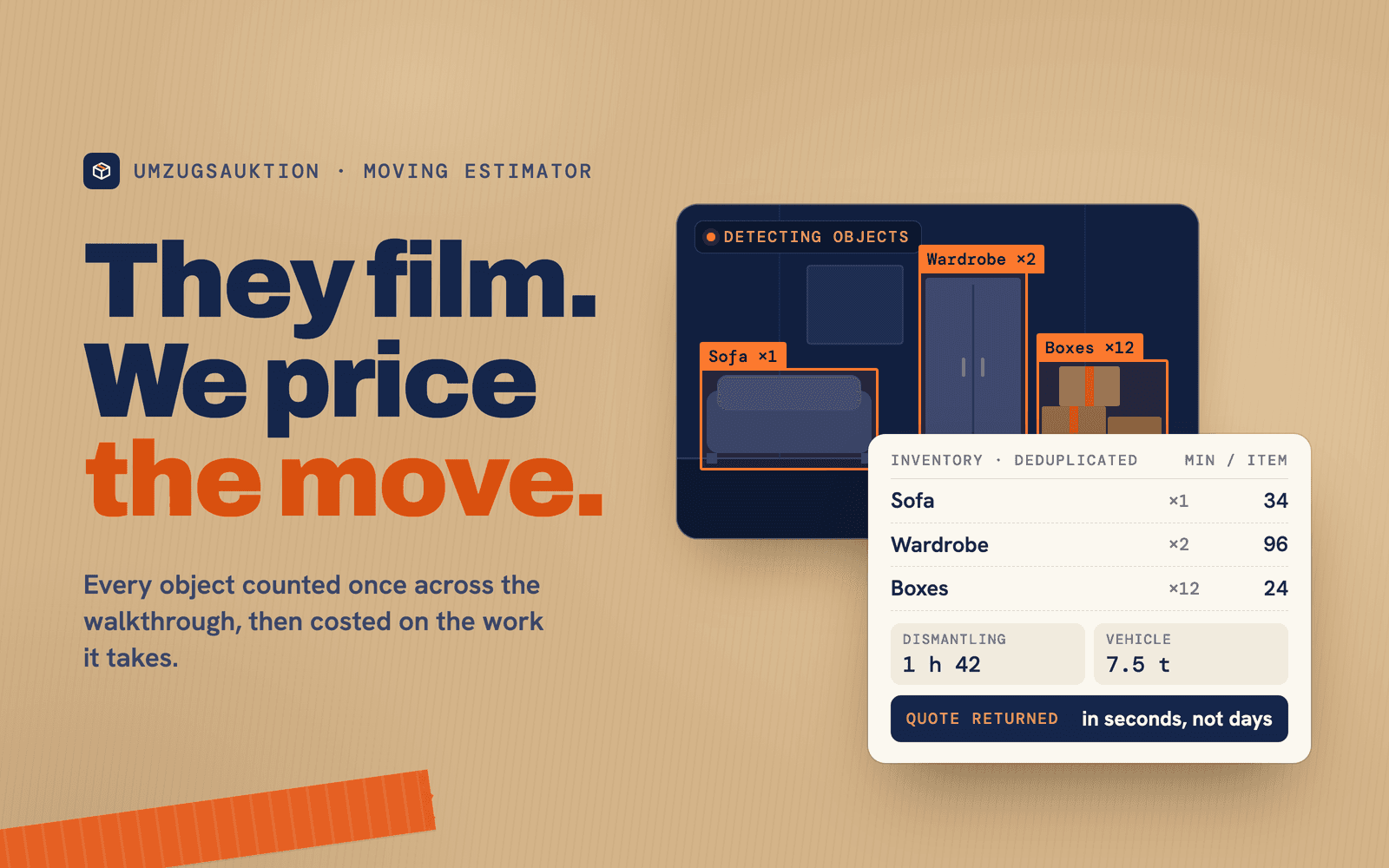
A walkthrough video in, a removals quote in seconds
The customer films their own home. Computer vision identifies and counts every object, estimates dismantling, handling and transport time, and returns a priced quote.
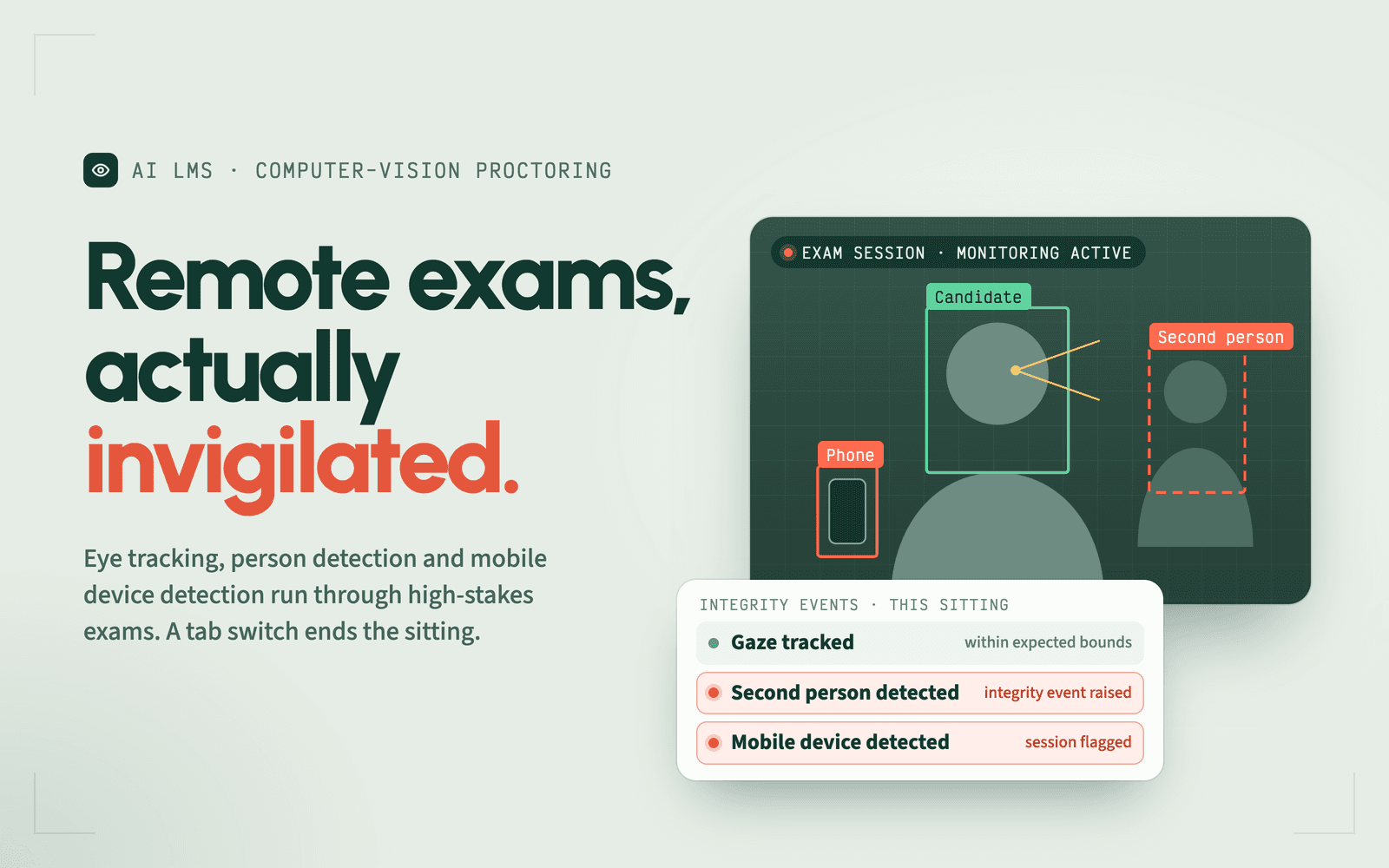
Three role modules — school, teacher and student — with computer-vision proctoring
A multi-tenant platform with three distinct role modules — school administrator, teacher and student — backed by computer-vision proctoring, a randomised question engine and automatic certification on pass. We also produced the entire curriculum that runs inside it.